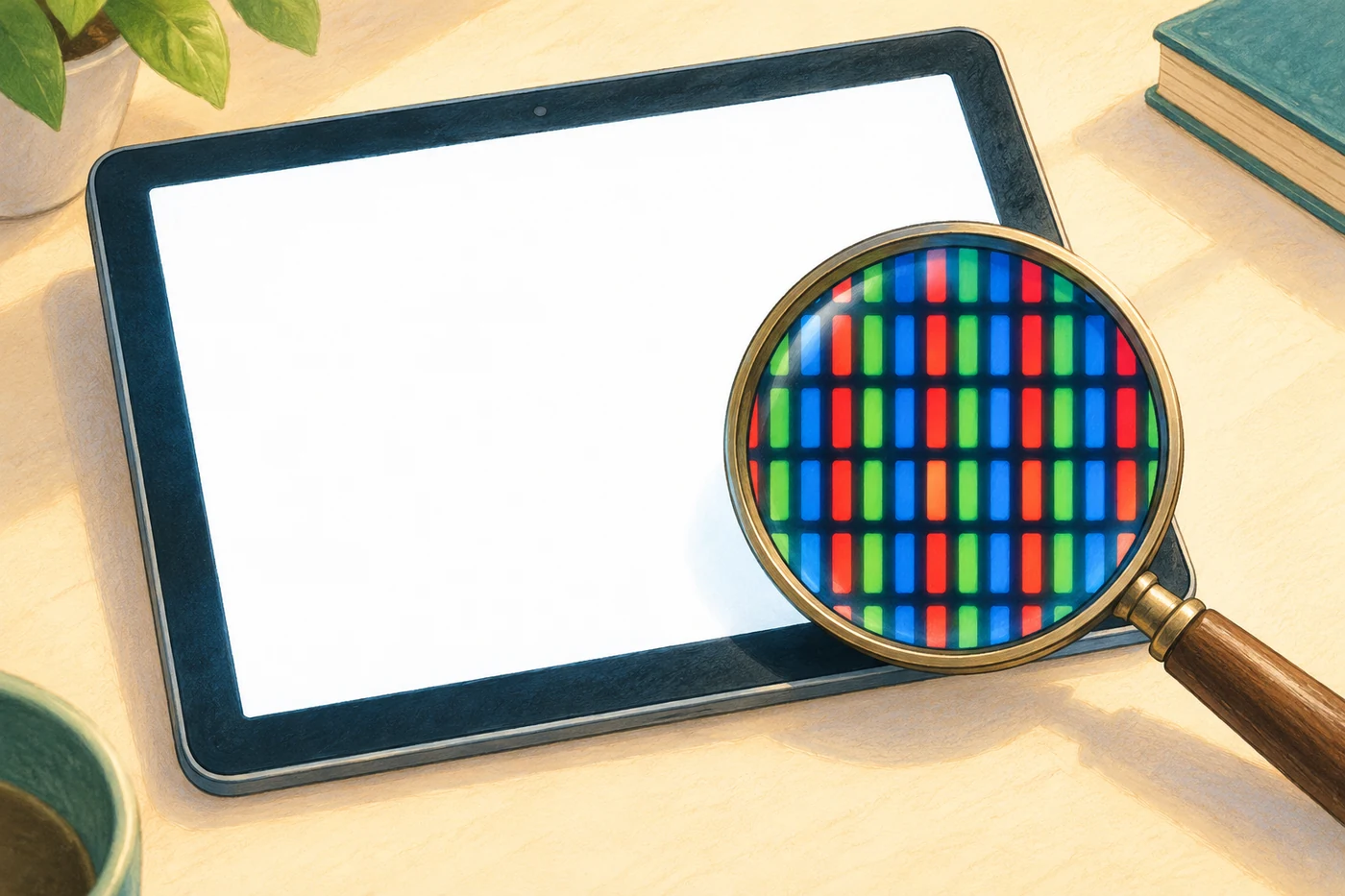
Many colour screens control tiny contributions of red, green and blue light. At a normal viewing distance, we cannot pick out the separate areas. Their light reaches our eyes together and can look white when the amounts are suitably balanced. Adding light this way is called additive colour mixing.
RGB stands for red, green and blue. The cover's magnifier shows an illustrated enlargement model, not a real microscope image. The shapes and arrangements of these small areas vary between screens.
Tiny areas make one image
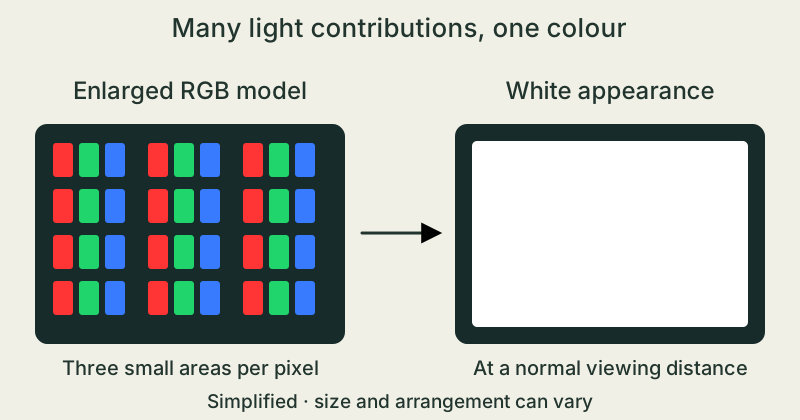
A picture element is called a pixel. In many displays, it contains smaller coloured areas called subpixels. The screen controls how much red, green and blue light comes from these regions.
The areas stay side by side. When they are too small for our eyes to distinguish separately, we see a combined colour at that spot. They do not have to physically overlap.
Eyes send signals to the brain
In typical human colour vision, three types of light-sensing cell work together: the cones. They respond differently to short, medium and long wavelengths of light. Each type responds to a range, rather than just one exact colour.
The brain processes their combined signals. Suitably balanced red, green and blue light can therefore look white. It does not need to contain every single wavelength in the visible spectrum.
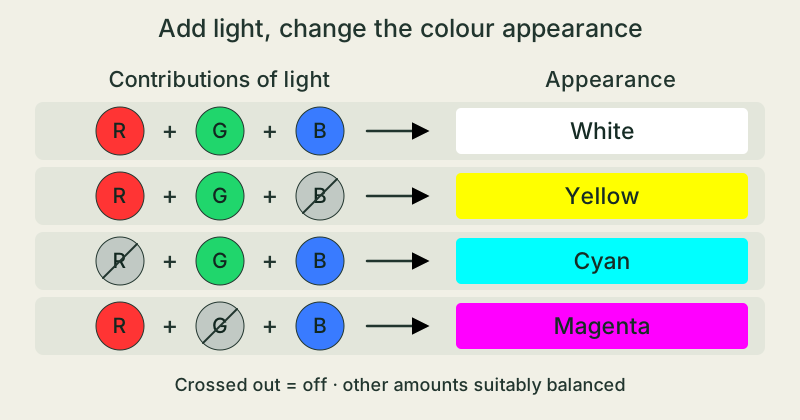
Change the mixture, change the colour
Red and green light can look yellow together. Green and blue can make cyan, a greenish blue. Red and blue can make magenta, a vivid purplish colour. In each case, the amounts of light matter.
Varying the three contributions creates many more colour appearances. A display still has limits: it can reproduce only part of the range of colours that people can perceive.
Why mixing paints works differently
Adding light differs from stirring paints together. Dyes and pigments absorb certain parts of the light falling on them. Some of the remaining light can reach our eyes.
Mixing paints often causes more light to be absorbed, making the mixture darker. Red, green and blue paints do not simply produce the white of a glowing screen.
Change light contributions in a simulation
- With an adult, open the PhET simulation in the first source link and choose “RGB Lichter” (RGB lights). Use a comfortable screen brightness. Set Rot (red), Grün (green) and Blau (blue) to 100 percent. Wait briefly for the model light to reach the eye, then describe the colour of the large thought bubble above the head.
- Keep red and green unchanged and turn only blue to zero. Predict the colour the thought bubble might show. Wait briefly and compare it with the mixture of all three contributions. Write down what you observe.
- Set all three sliders to zero and wait briefly again, then return them all to 100 percent. Record the three settings and colour appearances: all on, red and green only, and all off. These slider values belong to the model; they are not measured brightness values for a real screen.
A brief observation at a comfortable brightness is enough. Use the pause button to stop the animation. Stop if uncomfortable. Keep liquids off the device and do not open or take it apart.
The takeaway
An RGB screen controls contributions of red, green and blue light. Our eyes and brain turn them into combined colour appearances, including white. The amounts of light matter; paint pigments behave differently.
Why can a mixture of red, green and blue screen light look white?
Sources & further reading
PhET, University of Colorado Boulder · Farbwahrnehmung / Color Vision ↗ZSL Baden-Württemberg, Lehrerfortbildung · Additive Farbmischung ↗Science Learning Hub, University of Waikato · Colours of Light ↗OpenStax, Rice University · Color and Color Vision ↗MDN Web Docs · Gamut ↗Our stories explain the main idea in our own words. Pictures and models simplify reality and are not drawn to scale.